LucidView Helps Secure Your MikroTik Fleet Fast
For MikroTik administrators, ISPs and MSPs
Review your routers. See how LucidView can help.
Use the guide below to review exposure and plan your next steps. Explore the Portal demo to see router health, security reviews and controlled management access in one place.
Demo access is sent by email. Managed router jobs require a supported, connected router and successful safety checks.
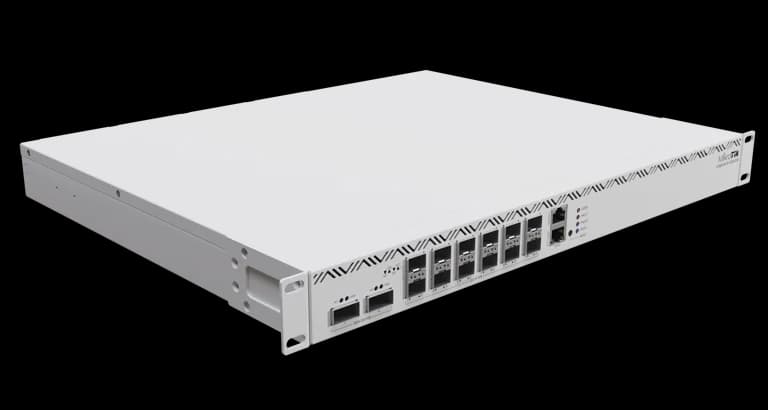
Watch the Fleet Upgrade Walkthrough
See how a MikroTik fleet firmware upgrade can be reviewed and queued from the LucidView Portal.
LucidView helps MikroTik operators secure their fleet fast when a serious RouterOS security issue lands.
In September 2026, MikroTik and CERT Polska confirmed a serious RouterOS vulnerability set, with active exploitation reported against routers where SSH or other management services are reachable from untrusted networks.
This is not only a configuration issue. Reducing exposure is important, but the permanent fix is to upgrade RouterOS to a version that contains the security fixes.
The practical response is simple: review your MikroTik fleet, restrict public management services, upgrade affected routers through a controlled process, and avoid skipping the safety checks that matter when many routers are involved. LucidView is built to help with that work from one Portal.
Fixed RouterOS versions
MikroTik's security bulletin says fixes are included in these RouterOS releases:
| RouterOS line | Fixed version |
|---|---|
| RouterOS 7 stable | 7.24.2 or newer |
| RouterOS 7 long-term | 7.23.4 or newer |
| RouterOS 6 long-term | 6.49.21 |
| RouterOS 7 beta | 7.25 beta 3 or newer beta |
The highest-risk situation is a MikroTik running a vulnerable RouterOS version while SSH, Winbox, WebFig, API, Telnet, FTP, WWW/WWW-SSL, or bandwidth-test is exposed to the internet or to an untrusted network.
Official references:
- MikroTik September 2026 security bulletin
- CERT Polska active exploitation warning
- CERT Polska CVE summary
What MikroTik administrators should do now
A good response is practical and controlled:
- Upgrade RouterOS to the fixed version for the router's RouterOS line.
- Restrict management services to trusted management networks only.
- Disable or restrict the bandwidth-test service where it is not needed.
- After upgrading, check for unknown users, scripts, schedulers, proxy settings, tunnels, unfamiliar files and the RouterOS flagged state.
- If compromise is suspected, preserve logs and configuration evidence before resetting the router.
A vulnerable RouterOS version does not automatically prove that a router has been compromised. It also does not prove that SSH was exposed to the internet. It does mean the router should be upgraded and reviewed with urgency, especially where management access may be reachable from outside.
The real fleet problem
Upgrading one MikroTik is straightforward when you are standing next to it, know the configuration and have time to recover manually if something goes wrong.
Upgrading a fleet is different. Operators have to consider RouterOS 6 versus RouterOS 7, available storage, old package files, weak hardware, uptime, SSH stability, reboots, customer maintenance windows and whether the router is actually the device they expect.
That is the work LucidView is built to take off your plate. Instead of manually worrying about every firmware step on every router, supported MikroTiks can be connected to LucidView as Enforcers, reviewed from the Portal, and scheduled for upgrade from one place.
For supported online LucidView Enforcers where the LucidView access checks pass, the Profile Manager can show firmware status and the red Bulk Firmware Upgrade button lets you select the Enforcers you want to upgrade. With one Portal action, the selected fleet can be queued for guarded RouterOS upgrade work.
Why LucidView upgrades are safer
LucidView's firmware workflow is designed to be conservative and comprehensive. It does not just press the MikroTik upgrade button and hope for the best. The managed workflow is designed to cover the obvious safety steps that are easy to miss when many routers must be handled manually:
- it checks that the Enforcer is online and reachable through the LucidView management path
- it verifies router identity before making changes
- it checks whether the router actually needs a RouterOS security update according to the active firmware policy
- it checks RouterOS version, package channel, board, architecture, free disk, RAM, disk-health indicators where RouterOS exposes them, package state, uptime, SSH stability, scheduler state and RouterBOARD firmware state
- it does not automatically migrate RouterOS 6 routers to RouterOS 7; RouterOS 6 stays on the RouterOS 6 long-term security line unless a separate hardware-approved migration is planned
- it performs safe cleanup of LucidView temporary files and stale RouterOS package files before deciding there is not enough space
- it saves and verifies a RouterOS text export backup before package staging, then removes that temporary export from router flash
- it stages and applies the RouterOS package update
- it upgrades RouterBOARD firmware where required and handles the additional reboot and verification
- it verifies the router after reboot, checks the LucidView runtime path and updates the Portal firmware cache
- if safety evidence remains unclear, the job stops for review instead of forcing the change
This is the main benefit: a serious RouterOS security issue can be mitigated through a managed maintenance workflow instead of a rushed manual task on every individual router.
Where to start
If you want LucidView to help carry the firmware-upgrade responsibility for your MikroTik fleet, connect supported MikroTiks as LucidView Enforcers and review them from the Portal. Where critical firmware updates are shown, the Bulk Firmware Upgrade workflow lets you select the affected Enforcers and schedule guarded upgrade jobs from one place.
The Portal workflow depends on the router being supported, online, reachable through the verified LucidView path and passing runtime safety checks. That caution is intentional: safe firmware work is about doing the important checks consistently, not rushing every router through the same blind upgrade path.
Useful links:
The responsible response to this September 2026 RouterOS issue is not panic. It is visibility, restricted management access, fixed RouterOS versions and a controlled upgrade process. LucidView is built to help MikroTik operators do exactly that.
See LucidView
View the LucidView Portal Demo
Enter your email on the demo path to receive access to the current LucidView portal demo.
Access Portal Demo