
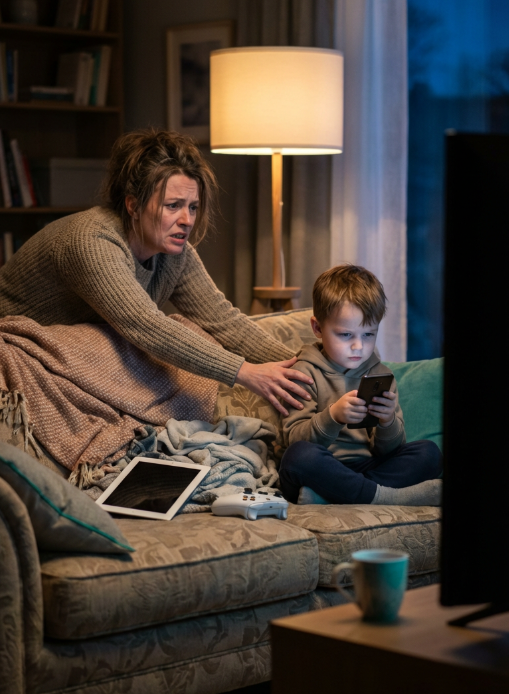
Tuesday at 6:15 PM. Dinner is over, the backpack is open, and the math worksheet is still blank. Your twelve-year-old is hunched over what you think is a calculator app, but it is actually a group chat. The tablet you confiscated last week has been replaced by an old phone from the drawer. Downstairs, the gaming console is running a video stream. You have asked three times. The homework has not started. The fight is coming.
Parents do not need more willpower or better monitoring apps. They need their home internet connection to do the heavy lifting automatically. A network-level “school-night” routine lets you set one rule that covers every screen in your house. At 4:00 PM on weekdays, your Wi-Fi automatically shifts into focus mode. School websites and messaging apps stay open. Social feeds, games, and video sites pause until homework hours end. No software to install on each device. No loopholes through old iPods or smart TVs. Just a predictable, automatic routine that removes the daily negotiation.
Why Device-by-Device Controls Always Fail
Managing screen time by checking every device manually is a losing battle. The average family home now contains twenty-three connected devices. That count includes phones, tablets, laptops, gaming consoles, smart watches, and streaming sticks. When you block Instagram on a phone, a child opens it on a web browser. When you remove the tablet, they pick up the Nintendo Switch. When you disable Wi-Fi on the laptop, they tether to a neighbour’s signal or use cellular data.
This creates a cycle of surveillance and evasion. Parents become full-time IT managers, constantly hunting for the next loophole. Children learn to hide devices, switch browsers, or factory-reset hardware to bypass parental locks. The energy you spend policing screens is energy you cannot spend helping with actual homework or connecting with your child.
Device-level controls also fail because they treat symptoms, not the environment. A distracted child will find distraction. The goal is not to build an impenetrable fortress around one tablet. The goal is to make the entire home environment support focus during specific hours.
What a “School-Night” Wi-Fi Profile Actually Does
Think of this setting like a programmable thermostat, but for your internet connection. You define the hours. You define the rules. The system handles the rest.
Here is how it works in practical terms. You set your home Wi-Fi to enter “school-night” mode from 4:00 PM to 7:30 PM on weekdays. During those hours, the connection allows access to educational platforms like Google Classroom, Khan Academy, and school email servers. Communication tools like Messenger, WhatsApp, or Discord remain open so kids can coordinate group projects or check in with friends. Essential services like banking, weather, and news continue working normally.
At the same time, the system automatically limits high-distraction categories. Social media feeds, video streaming platforms, and online gaming servers become unavailable on every single device connected to your home internet. This includes the smart TV in the basement, the PlayStation in the living room, and the hand-me-down iPod you forgot existed. When 7:30 PM arrives, the restrictions lift automatically.
The key difference is coverage. Because the rule lives on your internet connection itself—not on any individual phone or computer—it does not matter how many devices your child owns or how creative they get with switching screens. The Wi-Fi signal itself enforces the boundary.
Building a Routine That Sticks Without Daily Fights
The best school-night profiles share three qualities. They are automatic, transparent, and forgiving. Here is how to build one that actually works for your family.
Set specific windows, not vague limits. “After school until dinner” is harder to enforce than “4:00 PM to 6:30 PM.” Concrete times remove the “just five more minutes” negotiation. When the clock hits 6:30, the system changes, and you do not have to play the villain.
Keep communication channels open. Completely cutting off all social contact during homework hours often backfires. Kids need to ask classmates about assignments or coordinate rides home from practice. A smart profile blocks endless scrolling but allows messaging. This respects their social needs while removing the slot-machine effect of infinite feeds.
Explain the system once, then let it work. Sit down with your family and show them the schedule. Explain that the Wi-Fi itself will help everyone focus during certain hours. When the restriction is automatic and applies to the whole house—including parents’ phones during family time—it feels less like punishment and more like a household rhythm.
Use the “allow list” approach for younger kids. For children under ten, you might block everything except specific school websites and video calling with grandparents. For teenagers, use the “block list” approach, limiting only the highest-distraction categories while leaving research tools wide open. Match the strictness to the age.
The Real Win Is Fewer Arguments, Not Just Blocked Sites
Parents often start looking for internet controls because they want to block inappropriate content. That is a valid goal, but the daily benefit of a school-night routine is actually friction reduction. When the Wi-Fi enforces the boundary, you stop being the bad guy. You are no longer the person walking into rooms to confiscate devices. You become the person helping with the algebra problem because the group chat is already paused.
Children benefit from predictability. When they know that TikTok will not work until 7:30 PM no matter what, they stop checking it compulsively. The brain settles into knowing that focus mode has a defined end time. Homework gets done faster because the temptation to “just look something up” on YouTube does not exist.
Over time, this builds better habits. Kids learn to associate the dining room table with focused work because the environment supports it. They learn that evenings contain both work time and free time, clearly separated. The routine becomes invisible, like brushing teeth or setting the table. It is simply what happens in this house on Tuesday afternoons.
Making It Work for Your Family
You do not need technical expertise to set this up. Modern home internet solutions allow you to create these profiles through simple apps. You choose the category—”School Night”—select the hours, and pick which types of sites to allow. The change happens at the source of your internet connection, meaning it protects devices you have not even bought yet.
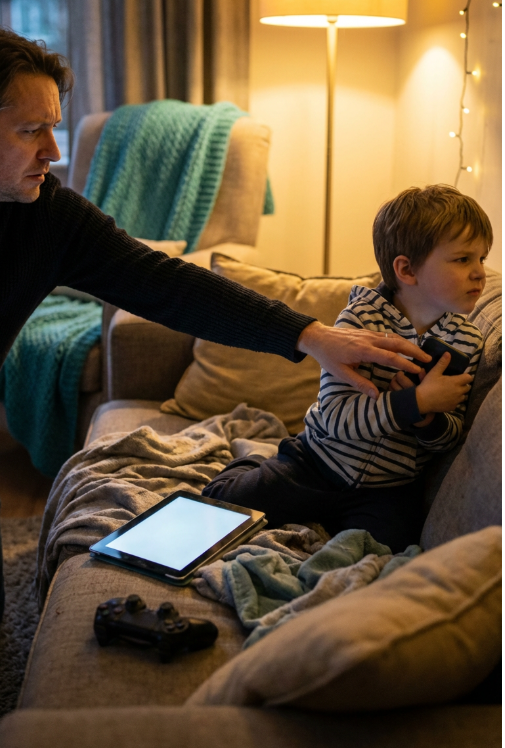
Set the hours generously at first—perhaps 5:00 PM to 7:00 PM—to let everyone adjust. Observe what your child actually needs. If they use a specific educational gaming site for math practice, add it to the allowed list. If they need longer for reading assignments, shift the end time later. Treat it as a family experiment, not a lockdown.
The goal is not perfect isolation from the digital world. It is creating a predictable container where schoolwork happens without constant willpower drain. When the technology handles the boundaries, you get to focus on being a parent instead of a security guard.
Avoid the bedtime fights. Get the simple Wi-Fi solution that automatically protects every device in your home at https://lucidview.net.